LinkedIn is one of the most powerful social media platforms for your personal online branding.
If you’re looking to take charge of the first 10 search results on Google, your LinkedIn profile is almost guaranteed to rank in the top 10.
In this post, I’m going to share with you how you can optimize your LinkedIn profile so that it ranks higher, and I’ll also share how well it ranks using data from actual clients.
- Claim LinkedIn
- How To Optimize LinkedIn
- How To Promote Your Profile
- Stats From Actual Clients
- Summary
Claim LinkedIn
If you’ve already claimed your LinkedIn profile, read my advice for how to optimize it.
If you’re an individual trying to push down negative search results on Google and you haven’t already claimed your profile, I recommend you do it now.
Why?
Because LinkedIn almost always ranks in the top 10, which means if you have a negative link camped out at the bottom of page one, claiming your LinkedIn profile and verifying it could push that link onto page 2 immediately.
How to verify your profile for fast indexing on Google
Verifying your profile is important because that is what allows it to get indexed by Google and that is what allows it to appear when you Google your name.
If you don’t verify your profile, it is very unlikely to show up on Google.
Therefore, you should always verify your profile and you can do that following these steps:
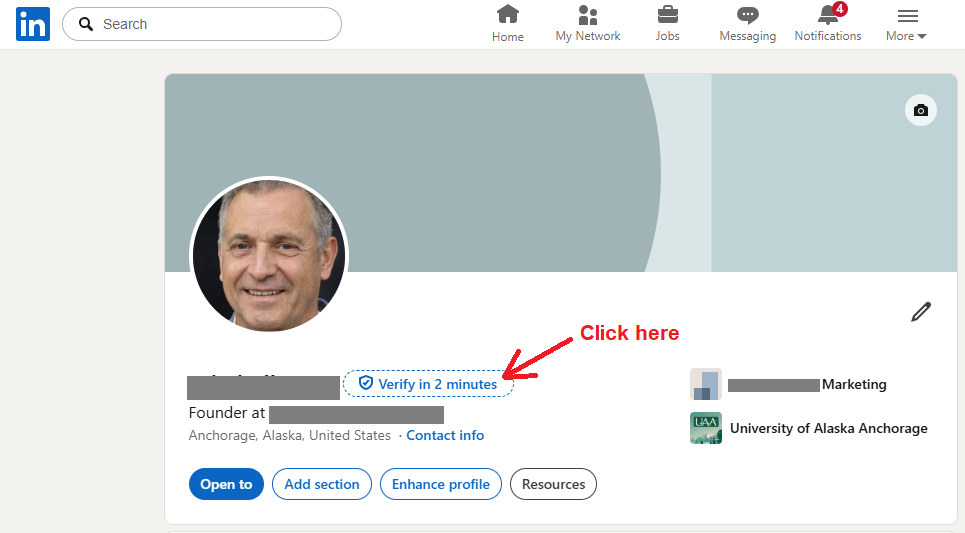
1 – Visit your profile page and click the “Verify in 2 minutes” button next to your name.
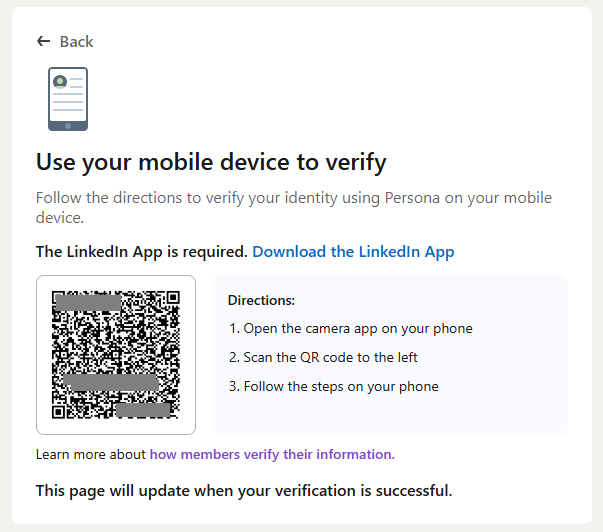
2 – Download the LinkedIn app to your phone using this link.
3 – Use your phone to scan the QR code.
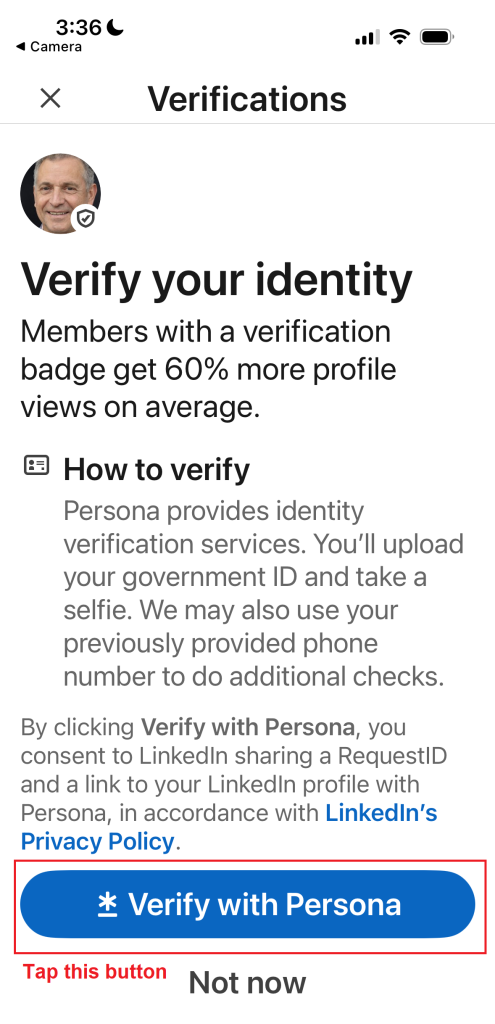
4 – After you scan your QR code, the page below will open in the LinkedIn app. Tap the blue button at the bottom “Verify with Persona.”
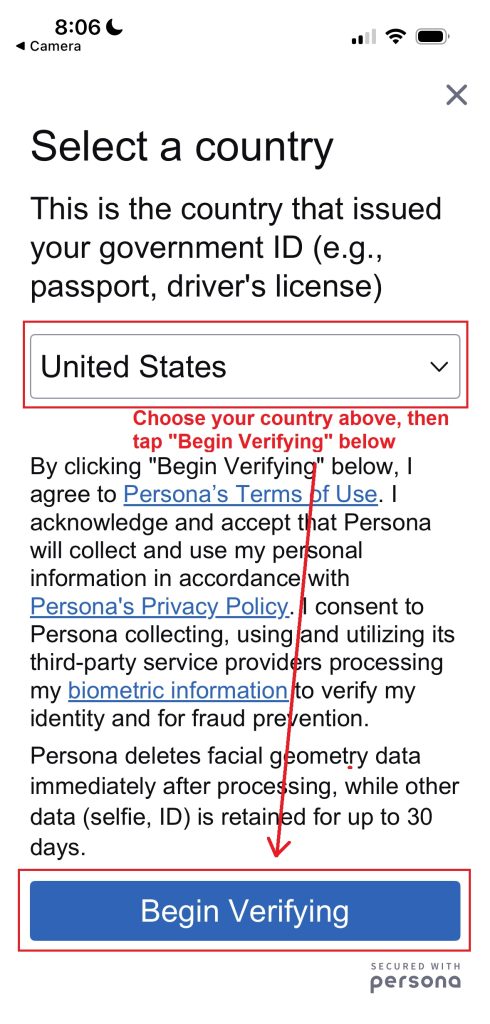
5 – Select your country from the drop down and tap the blue “Begin Verifying” button.
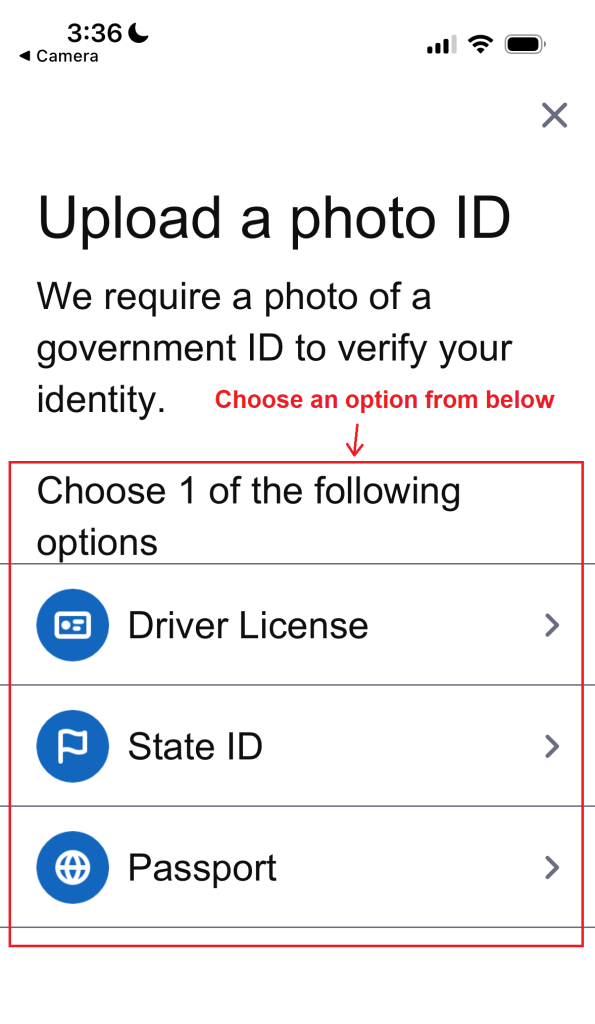
6 -Upload a photo ID, either Driver’s License, State ID, or Passport. Then follow the prompts to verify your profile. It should be indexed on Google within a day and begin showing up in search results.
Please note that because verifying your LinkedIn profile requires a photo ID, you will need to do this yourself.
We can’t do it for you.
So, if you decide you don’t want to claim your LinkedIn, this will make cleaning up your search results much harder.
I strongly recommend claiming it, even if you just let it sit and never use it.
Also note, that if we are using the alter ego strategy for your online reputation management campaign, you can just skip LinkedIn entirely.
How To Optimize LinkedIn
Now that you’ve claimed your LinkedIn, optimize it for search engines using the tips below.
1) Your name
It kind of goes without saying, but your profile should contain your name.
Be sure to use the version of the name most people know you by because that’s the most important one to your personal brand, and to Google users.
2) Your vanity URL
A vanity URL turns this linkedin.com/in/899ad-g45jjn into this linkedin.com/in/mike-munter
See how much cleaner and nicer?
Getting your name in any URL is just one more way to help it rank better.
Click this link and follow the instructions to manage your public profile URL on LinkedIn.
3) Connections
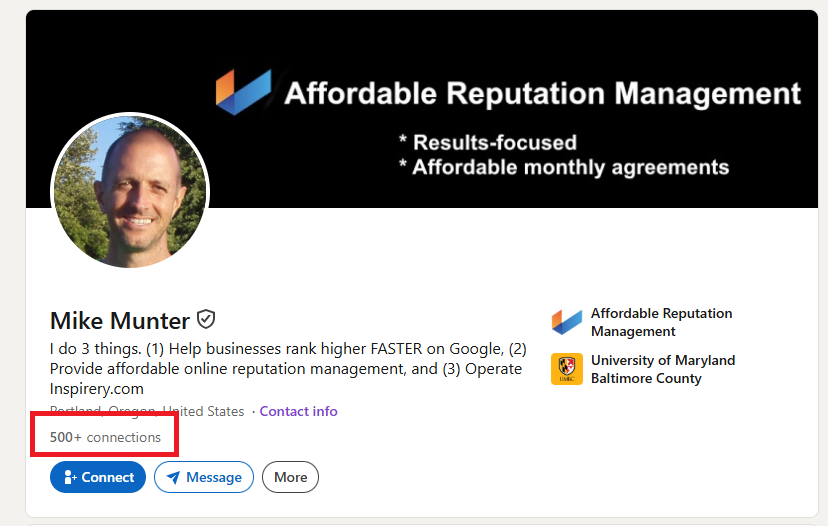
See that little blue “Connect” button?
Use it!
The more connections you get, the better.
Pro tip – just follow and connect with people and some of them will also follow you back.
4) Complete all fields
As of this writing, LinkedIn allows you to complete the following fields:
- Description (right beneath your name)
- About (overview of what you do)
- Activity (posts/comments)
- Experience (work history)
- Education (college and/or trade school)
- Skills (things you’re good at)
- Interests (things you like)
All of these are under your control.
Fill them all in.
The more complete your profile is, the higher it is likely to rank on search engines.
Plus, it just looks better.
5) Recommendations
If you have time and know people, ask for recommendations from friends and colleagues.
Then be sure to return the favor.
6) Activity
The more activity on your profile, the better.
Many believe (including me) believe Google has a “recency bias” which means the more recently something was updated, the better it could rank.
This isn’t the biggest deal, after all it takes work, but if you have the time, posting, following, and commenting can only help your LinkedIn profile move up.
How To Promote Your Profile
Like any social media profile, you have two simple ways to promote it.
#1 – Link to it.
If you have a website or if you’re completing online profiles, include a hyperlink to your LinkedIn URL.
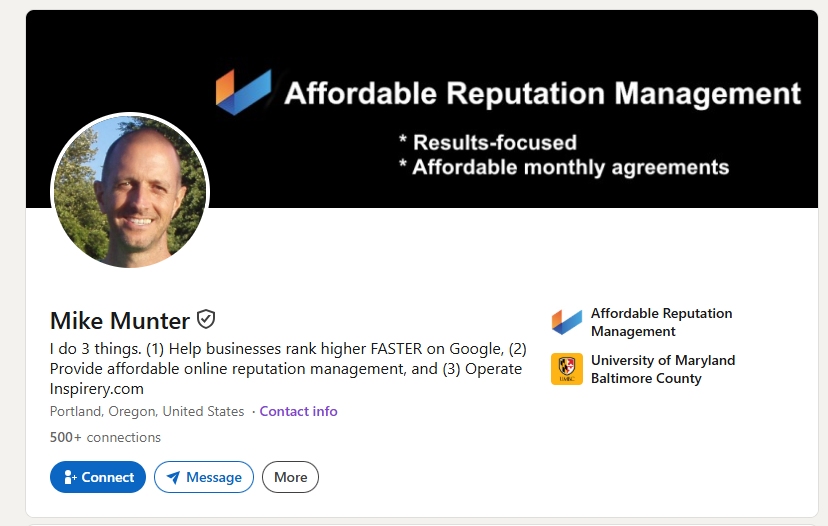
You can do this either with a text link like this one: https://www.linkedin.com/in/mikemunter/ or you can link to it from an image like this.
(Click the image below and see where it takes you.)
On websites, you’ll usually see a little LinkedIn logo to click – that is what takes you to the users profile.
2. Click on it.
It’s well documented that Google prioritizes it’s search results based on what links get the most clicks.
So, if you were to do this yourself, you would go to different browsers and different IP addresses and (a) Google your name, then (b) Click on your LinkedIn profile and engage with it.
For most of us, this is a pain in the butt.
Luckily, when you work with us, we have a team of people who handle that for you.
In fact, it’s our secret weapon that no other agency has.
Stats From Actual Clients
In June 2026, I looked at the top ten search results for thirty-five of our personal reputation management clients and found the following data.
Here are the steps I followed:
1) Manually Googled the client name
2) Checked to see where LinkedIn ranked
3) I did not check past the top 10 results and I also didn’t check to see if clients had actually claimed their LinkedIn profile, so it’s possible that some folks might not have a LinkedIn and would never appear on the list.
But I digress.
Here’s what I found from my limited sample.
Across 35 random clients, LinkedIn appeared 29 times in the top 10 SERPs.
Specifically, it appeared
In two cases, LinkedIn appeared TWICE in the top ten.
This usually happens when you have a common name.
This is a good thing.
The more real estate taken up on page one of the search results by positive or neutral links, the better for you.
It means your negative links have one less place to appear.
Summary
Most of the professionals we work with already have a LinkedIn profile.
If you’re one of them, at a minimum, I recommend that you follow steps 2 and 4 from the “Optimize” section of this post to:
- Get a vanity URL
- Complete all fields
These are SEO basics that will land your profile higher on Google when you search for yourself.
If you found the advice in this post helpful, please consider sharing this page with others.
I’d appreciate it.
And if you’re a professional or small business owner in need of pushing down negative search results on Google and Bing, no one does it better for an affordable price.